Skip to content
For students · Semester

Your syllabus, read for you. Your semester, planned.

Add your class schedule and each syllabus. Recallr makes a notebook for every course, reads every due date and exam, and puts them in your calendar with reminders.

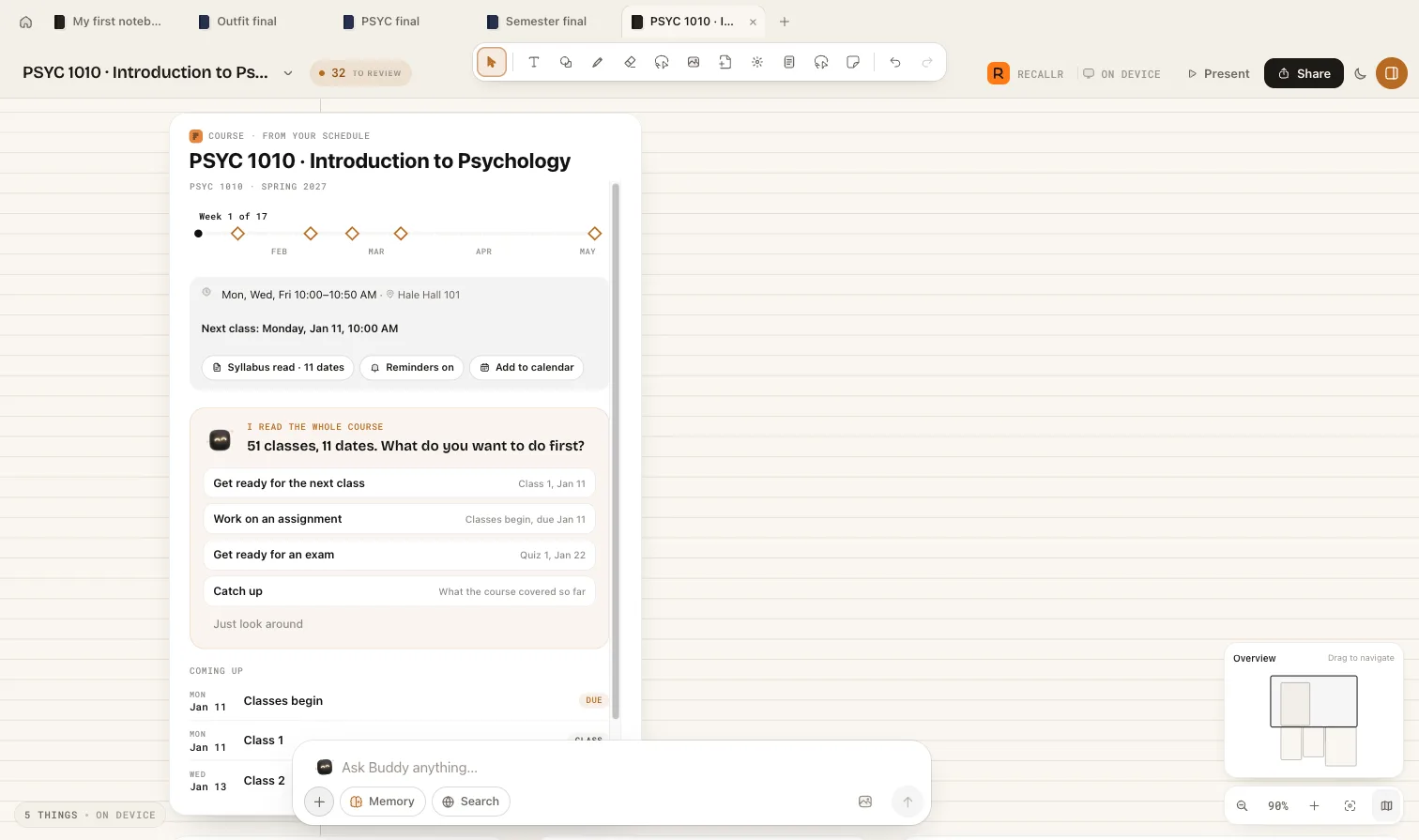
A course card made from a syllabus: class times, 11 dates read, and what to do first
Sample workspace · the real Recallr interface

01

One notebook per course

Start from your class schedule. Recallr checks it with you and makes a notebook for each course, under its term, with every class session in it.
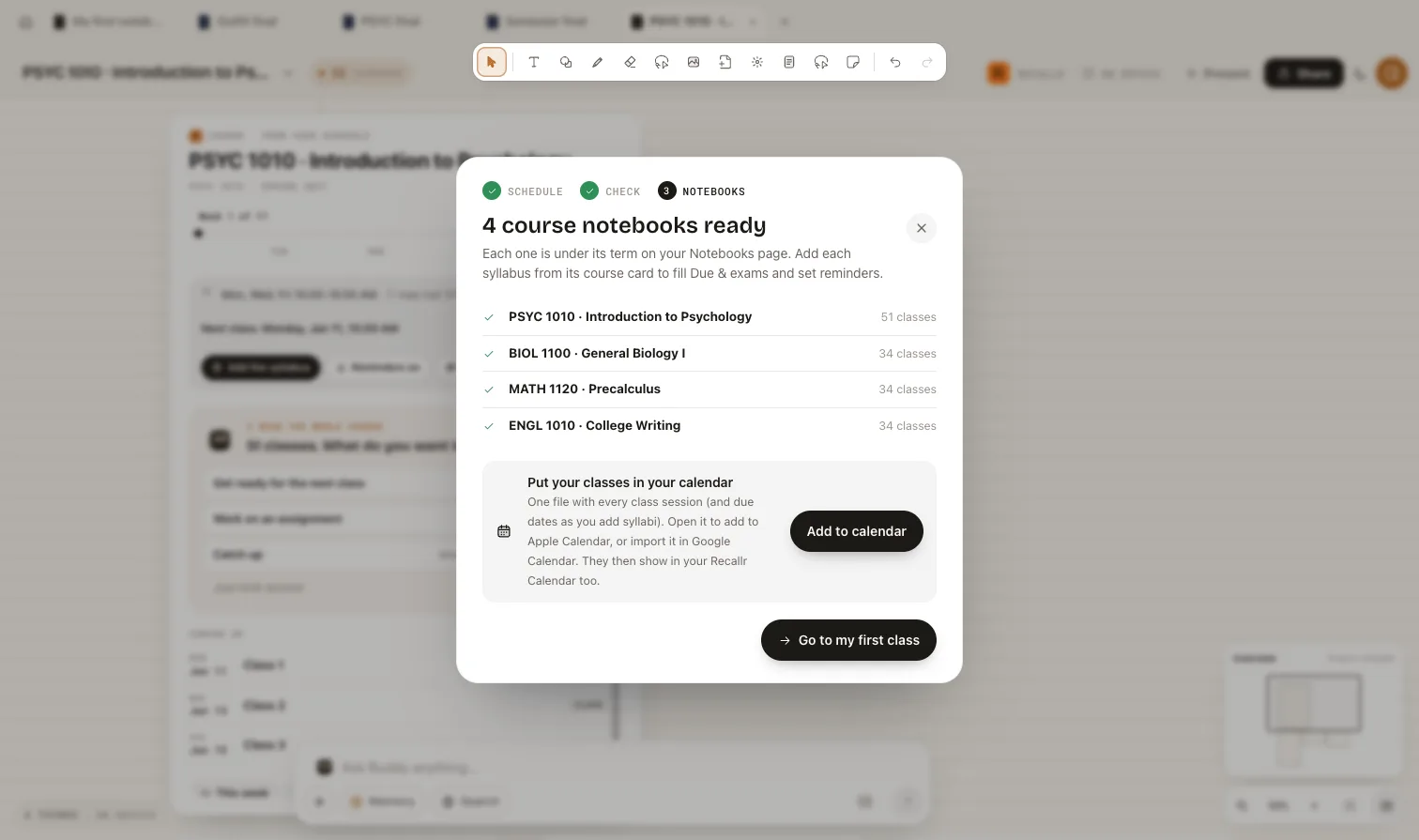
Four course notebooks made from a class schedule, with an Add to calendar button

02

Every date, read from the syllabus

Add a syllabus to a course and Recallr reads the assignments, quizzes and exams into the course's Due & exams list, and asks what you want to do first.

  • Get ready for the next class
  • Work on an assignment
  • Get ready for an exam
  • Catch up on what the course covered

03

In your calendar, with reminders

One calendar file holds every class and due date. Open it in Apple Calendar or import it in Google Calendar, and turn on reminders so nothing sneaks up on you.

Questions

Good to know.

Still curious? Ask Recallr in the corner, or write to support@recallr-ai.org.

01Does Buddy make things up?

Buddy works from what you put in the notebook and says which page or note each answer comes from, so you can check it against your own material.

02Where does it work?

Notebooks run in your browser at recallr-ai.org/notebooks and inside the Recallr app for Mac. Signing up from this page takes you straight into Notebooks; in the Recallr app, open it from the sidebar. Everything you add is kept in your own account, and you can delete it any time.

03Is it free?

Yes, Recallr is free to start, with no card. Pro adds more room and more of Buddy's time; the plans are on the home page.

Your personal AI second brain

Keep the context.
Keep going.

Save what matters today. Ask for it the day you need it.

Free to start. No card needed.